
PeelFlow

Download PeelFlow

Download the three latest official releases, stored on AWS. Sign in to the desktop app with your website account; no copied license key is needed.

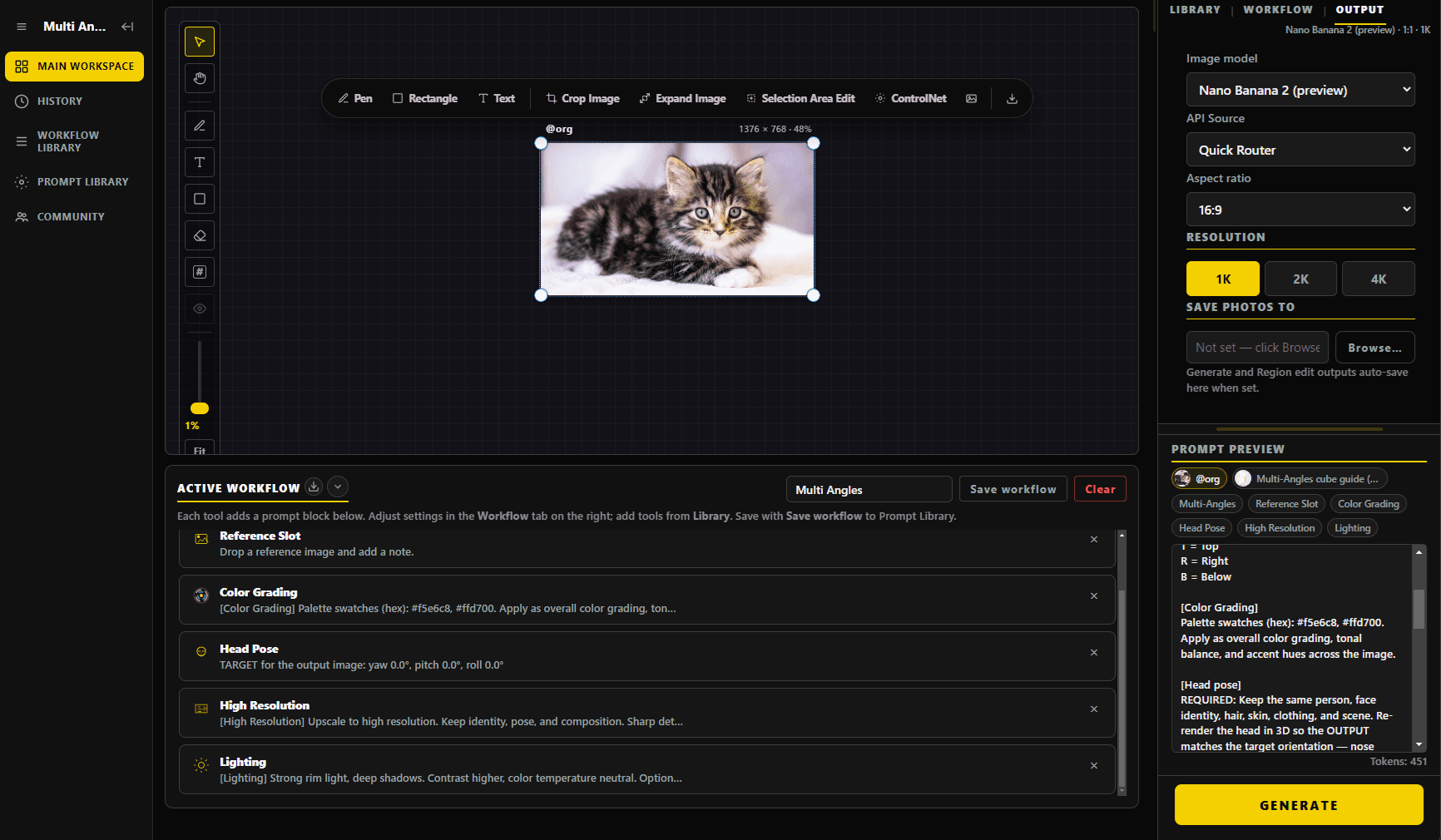
Desktop workspace

After download, sign in with the same website account to compose modules on the canvas and generate images.

PeelFlow real workspace interface
3 views ready

The PeelFlow service address has changed. If an older desktop app cannot sign in or sync, download the latest version on this page. Save your work before updating.

Latest release

v0.1.25

Windows

x64 · 153 MB · Setup

Download for Windows
SHA-256a78154c3b2a4ff1a8bd0ef3ac7b1f4ce41ccb6df958419bfd2c5596210ace1b2

The build is unsigned, so SmartScreen may say Windows protected your PC. Choose More info → Run anyway, or unblock the file in Properties.

macOS

arm64 · 189 MB

Download for macOS
SHA-25683fecc8823d66354aacdc21129ff7324d47fc25f2004c18e18d8c330879406d8

If macOS says the app cannot be opened, Control-click → Open, or allow it in Privacy & Security. Notarization is not included yet.

Previous releases(2)

v0.1.24

Windows

x64 · 153 MB · Setup

Download for Windows
SHA-2563ef020380eb1844a795b536ee2b7462c7fc00ce4da50676966ddc0419a3b7950

macOS

arm64 · 189 MB

Download for macOS
SHA-25631220f9c62c1b61fc9234bb27ed14c68cd00f456dc9f14916f267df1b3a47251

v0.1.22

Windows

x64 · 153 MB · Setup

Download for Windows
SHA-256dce2bc7f9fb7c03221e6443c9fede89d6565527e69b755001f0c1796b088e638

macOS

arm64 · 189 MB

Download for macOS
SHA-256e5555f90c1a2c125f4ab28546301339d0d55537dfa9f68fdfd4554161e16278c

System requirements

Windows

Windows 10 or 11 (64-bit), about 200 MB of disk space. Portable — download and run.

macOS

Apple Silicon (M1 / M2 / M3 / M4). macOS 13 or later recommended.

Network

An internet connection is required so the app can authenticate with the server.

A website account license is required

After download, sign in to the desktop app with your website account. Or sign up and start a 14-day trial. The app only runs while it can authenticate with the server.

Get a license